
Capture words · Android · Free to start
Meet a word anywhere. Keep it in one tap.
A video, an article, a message from a friend — the words worth learning turn up in other apps. The capture bubble catches them there, translates them on the spot, and keeps them until you make them into cards.
How does the capture bubble work?
Most new words arrive while you are doing something else, and the moment passes before you open a dictionary. The bubble removes the detour: it stays at the edge of the screen, over whatever app you are in, and opens a small panel when you tap it.
- Switch it on in the app’s settings. Android asks once for permission to show the bubble over other apps.
- Capture the screen. Press the camera in the panel and the text on the screen is read by AI; every word comes back as a chip you can tap. Press and hold the camera to mark just the part of the screen you want.
- Tap the words. Each tap adds a word to the line, so a phrase is built as easily as a single word. You can also type into the line yourself.
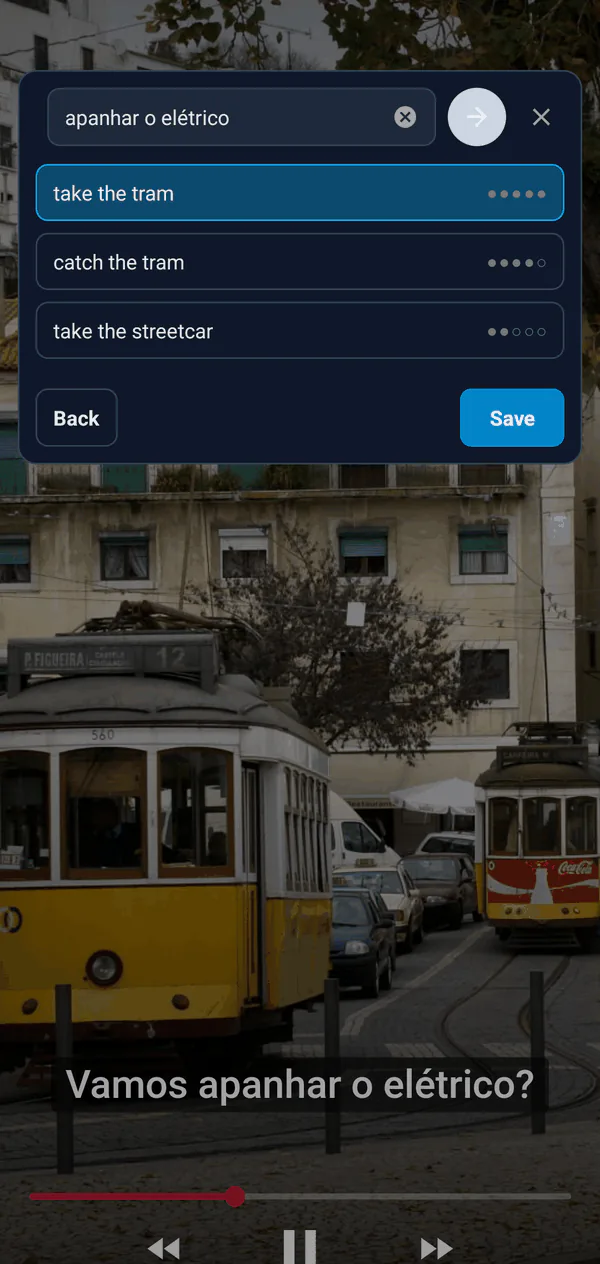
- Translate. A single word comes back with several translations, each with dots showing how common it is. A phrase comes back translated as a whole.
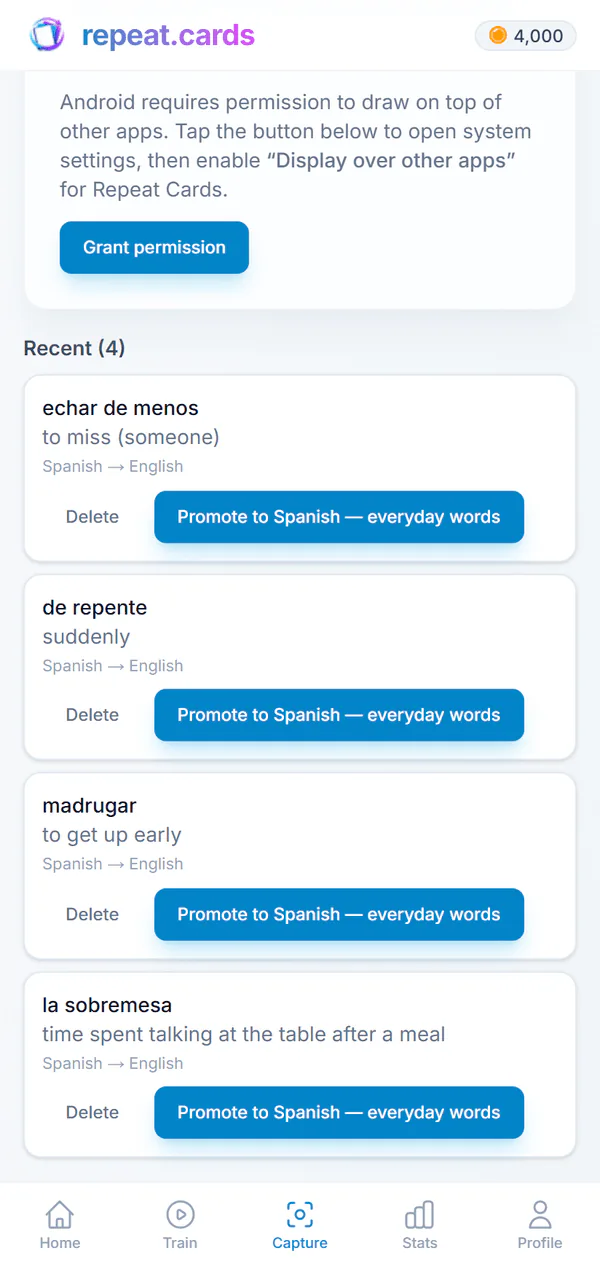
- Save. The word, its translation and the language pair go to your Capture inbox, and the panel is ready for the next one.
One phrase, from a subtitle to a card
Here is the whole trip for a phrase heard in a Portuguese video, the one in the screenshot above.
Tap the bubble over the video
- What happens
- The panel opens on top of the player
Press the camera
- What happens
- The subtitle is read and its words appear as chips
Tap apanhar, o, elétrico
- What happens
- The phrase builds up in the line
Translate
- What happens
- Its meaning comes back, such as take the tram
Save
- What happens
- The phrase waits in the Capture inbox with its translation
Open the inbox later
- What happens
- Turn it into a card in your Portuguese deck
From the inbox to a flashcard
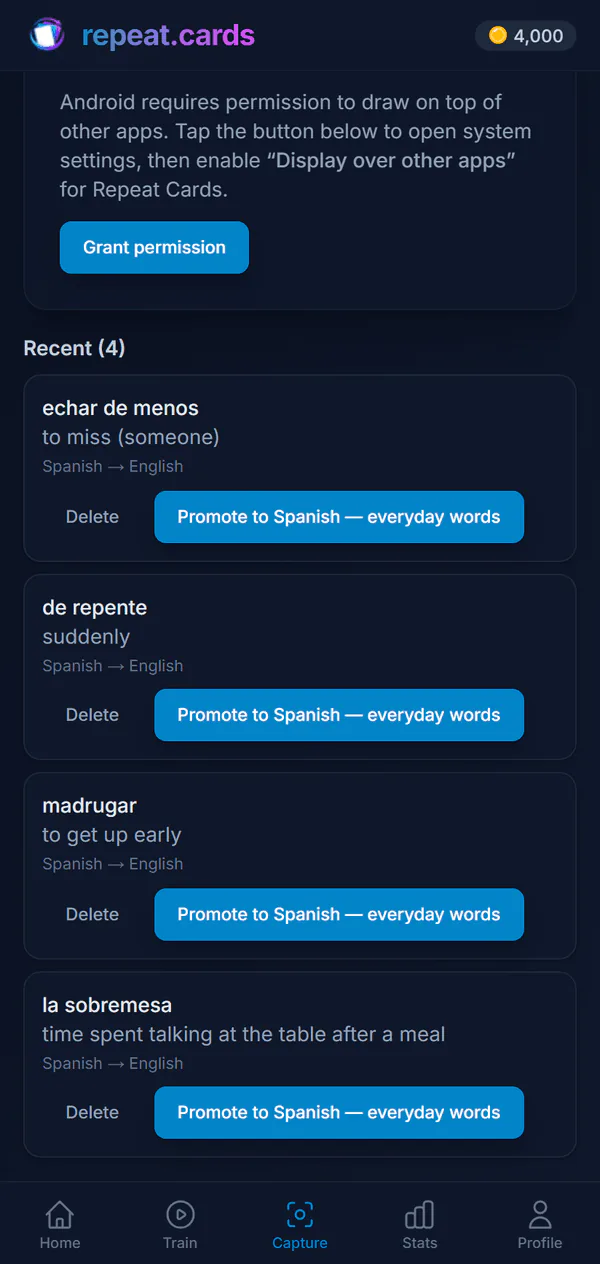
The Capture tab in the app lists every word you saved, with its translation. When you have a minute, turn a word into a card: pick the deck for that language pair and the card editor opens already filled in. From there AI can add the rest — an example sentence, audio, a picture, a mnemonic — as described on the AI flashcards page. A word you no longer want is deleted after you confirm it.
Nothing is added to a deck behind your back. The inbox is a waiting room, so a word caught in a hurry on the bus does not turn into a card you never meant to learn.
What leaves your phone
A picture of the screen is taken only when you press capture, and it is sent to read the words on it. Between captures nothing on your screen is kept, even though Android keeps the screen-capture session open. Reading the text and translating use AI and run on coins; saving a word costs nothing. Prices are on the pricing page.
Capturing words FAQ
Does the capture bubble work in any app?
Why does Android ask to record my screen?
Does capturing words cost anything?
Is the capture bubble on the website too?
Which languages can I capture?
Keep the words you meet.
Install the app, switch the bubble on, and your next video or article becomes vocabulary. Free to start, no credit card.
Get started — freeWorks over any app · Translation on the spot · An inbox for later
Keep reading
Android app
The free Android app: same decks and schedule as the web, plus reminders and the capture bubble.
AI flashcards
Type a word and AI fills in the rest of the card: example, audio, mnemonic, picture, grammar.
Vocabulary app
Add the words you meet at any level; AI fills in each card and spaced repetition keeps them.
Pricing
What coins are, what packs cost, and what stays free.